
Environment
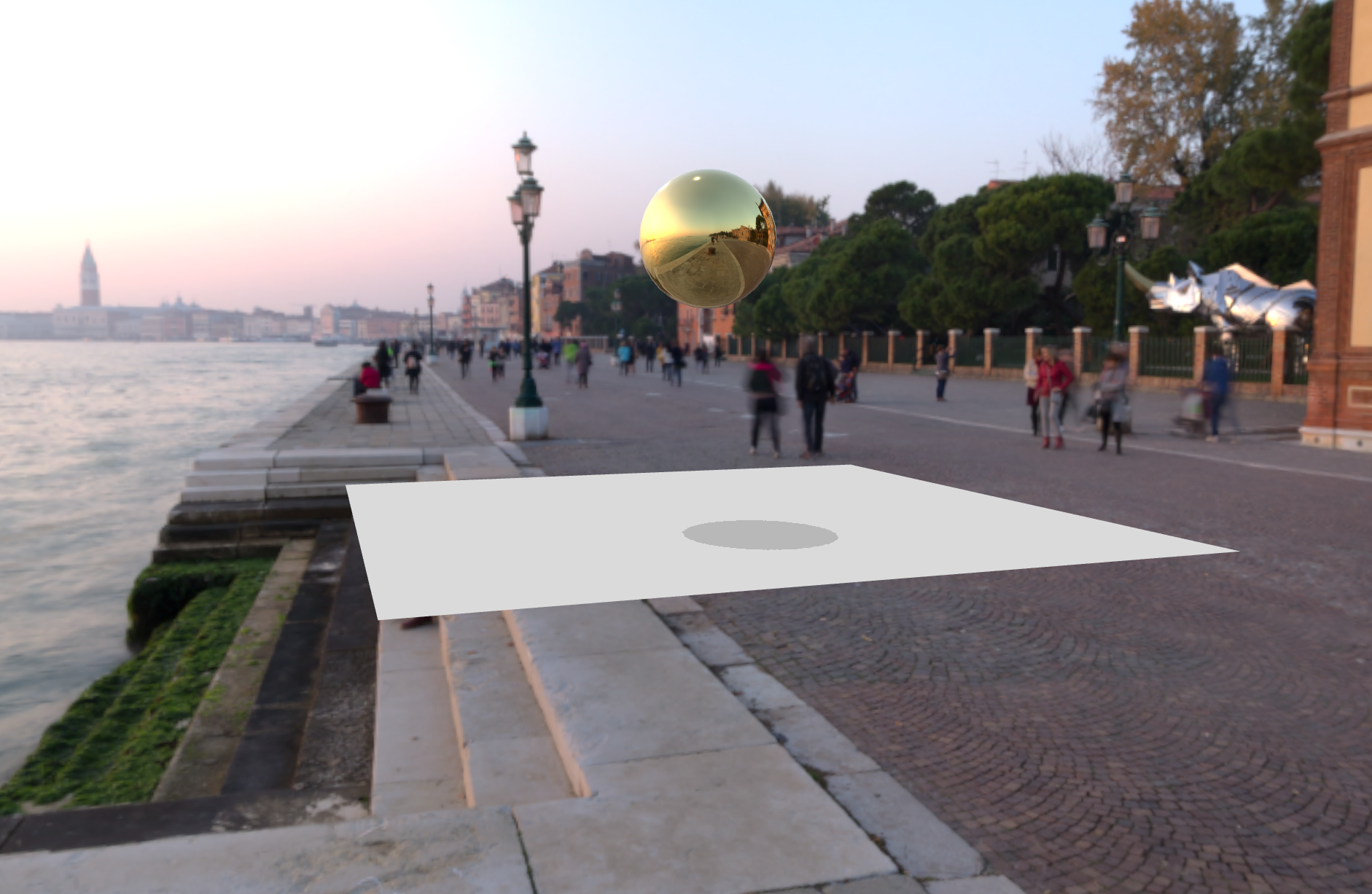
Is a component abstraction that automatically sets up a global cubemap, which affects the default scene.environment, and optionally scene.background.
It uses the composable useEnvironment under the hood to load the cubemap.
Usage
<script setup lang="ts">
import { TresCanvas } from '@tresjs/core'
import { Environment } from '@tresjs/cientos'
</script>

<template>
  <TresCanvas>
    <Suspense>
      <Environment
        :files="[
          '/px.jpg',
          '/nx.jpg',
          '/py.jpg',
          '/ny.jpg',
          '/pz.jpg',
          '/nz.jpg',
        ]"
      />
    </Suspense>
  </TresCanvas>
</template>
You can also pass the .hdr file directly:
<Suspense>
   <Environment files="/sunset.hdr" />
</Suspense>
Texture reference
You can access the model reference by passing a ref to the <Environment /> prop
<script setup lang="ts">
import { Environment } from '@tresjs/cientos'

const environmentRef = shallowRef()

watch(environmentRef, texture => {
  console.log(texture)
})
</script>

<template>
  <Environment ref="environmentRef" />
  <TresMesh>
    <TresSphereGeometry />
    <TresMeshStandardMaterial :env-map="envMap" />
  </TresMesh>
</template>
Presets
You can use one of the available presets by passing the preset prop:
<Environment preset="city" />
Preset quality
Presets are served from the Tresjs/assets CDN at 1K by default. For higher-fidelity scenes — reflective materials, large backgrounds, hero shots — you can opt into a higher-resolution variant with the quality prop:
<Environment preset="sunset" quality="4k" />
Available tiers: '1k' (default), '2k', '4k'.
'2k' / '4k' only when you need the extra detail, and prefer lazy-loading for large backgrounds.The quality prop only applies when preset is set — it is ignored when loading via files / path. An unsupported value falls back to '1k' with a console warning.
quality has no visible effect when you pass Lightformers (or any children). With children present, <Environment> bakes the environment and background into a WebGLCubeRenderTarget sized by the resolution prop (default 256), so a high-res preset gets downsampled to that cube — the background will look pixelated regardless of quality. For a sharp high-res background, either omit the children or raise resolution (a cube big enough to match 4K is expensive to render each frame).Environment Rotation
The environment component supports both background and environment rotation. You can control them independently or sync them together:
<template>
  <Environment
    preset="sunset"
    :background="true"
    :background-rotation="[0, Math.PI / 2, 0]"
    :environment-rotation="[0, Math.PI / 4, 0]"
  />
</template>
Syncing Rotations
You can sync the environment rotation with the background rotation using the syncMaterials prop:
<template>
  <Environment
    preset="sunset"
    :background="true"
    :sync-materials="true"
    :background-rotation="[0, Math.PI / 2, 0]"
  />
</template>
When syncMaterials is enabled:
- The environment rotation will automatically match the background rotation
- All materials in the scene will update to reflect the new rotation
- This ensures visual consistency between the background and environment reflections
Props
| Prop | Description | Default |
|---|---|---|
files | Array of 6 urls to images, one for each side of the CubeTexture, or an HDR file | undefined |
path | Path to the environment map files | undefined |
encoding | Encoding of the environment map | SRGBColorSpace for array files, LinearEncoding for single texture |
background | If true, the environment map will be used as the scene background | false |
blur | Blur factor between 0 and 1 (only works with three 0.146 and up) | 0 |
preset | Preset environment map | undefined |
quality | Resolution variant of the preset HDR (1k | 2k | 4k). Only applies when preset is set | 1k |
resolution | The resolution of the WebGLCubeRenderTarget | 256 |
near | The near of the CubeCamera | 1 |
far | The far of the CubeCamera | 1000 |
frames | The frames of the cubeCamera.update | Infinity |
backgroundIntensity | Intensity of the background | 1 |
environmentIntensity | Intensity of the environment | 1 |
backgroundRotation | Rotation of the background (in radians) | 0, 0, 0 |
environmentRotation | Rotation of the environment (in radians) | 0, 0, 0 |
syncMaterials | If true, environment rotation will sync with background rotation | false |
Presets
sunset
studio
city
umbrellas
night
forest
snow
dawn
hangar
urban
modern
shangai